flow App Icon

流账 flow

智能记账与账单解析

流账是一款面向日常收支整理的 iPhone 记账工具。把短信内容通过快捷指令交给应用,或导入账单文件与图片,由 AI 协助识别交易;在写入账本前,始终由你确认。


个人与共享账本、分类与解析记忆、待处理中心和可回看的趋势图,让每一笔记录保持清晰、可核对。

App

应用信息

  • 应用名称:流账(flow)
  • 定位:智能记账与账单解析
  • 支持平台:iPhone(iOS 18+)
  • 账户与同步:Sign in with Apple、iCloud / CloudKit
  • 语言:简体中文、English
Workflow

从内容到流水

  • 输入短信或选择账单文件 / 图片
  • AI 提取金额、商户、日期、账户和分类
  • 无法确认的内容留在待处理中,不会直接记账
  • 确认后写入选定账本,并用于后续趋势与分类查看
Capability

主要功能

  • 短信记账:通过快捷指令或粘贴输入,识别金额、商户、账户、时间与分类。
  • 账单导入:支持 TXT、CSV、TSV、TSK、JSON 与图片账单;导入前分别展示可导入与已跳过记录。
  • 分类与记忆:用分类树管理收支分类,将稳定的修正结果保存为解析记忆。
  • 多账本与共享:创建个人或共享账本,在不同账本间切换;共享账本可邀请成员协作记录。
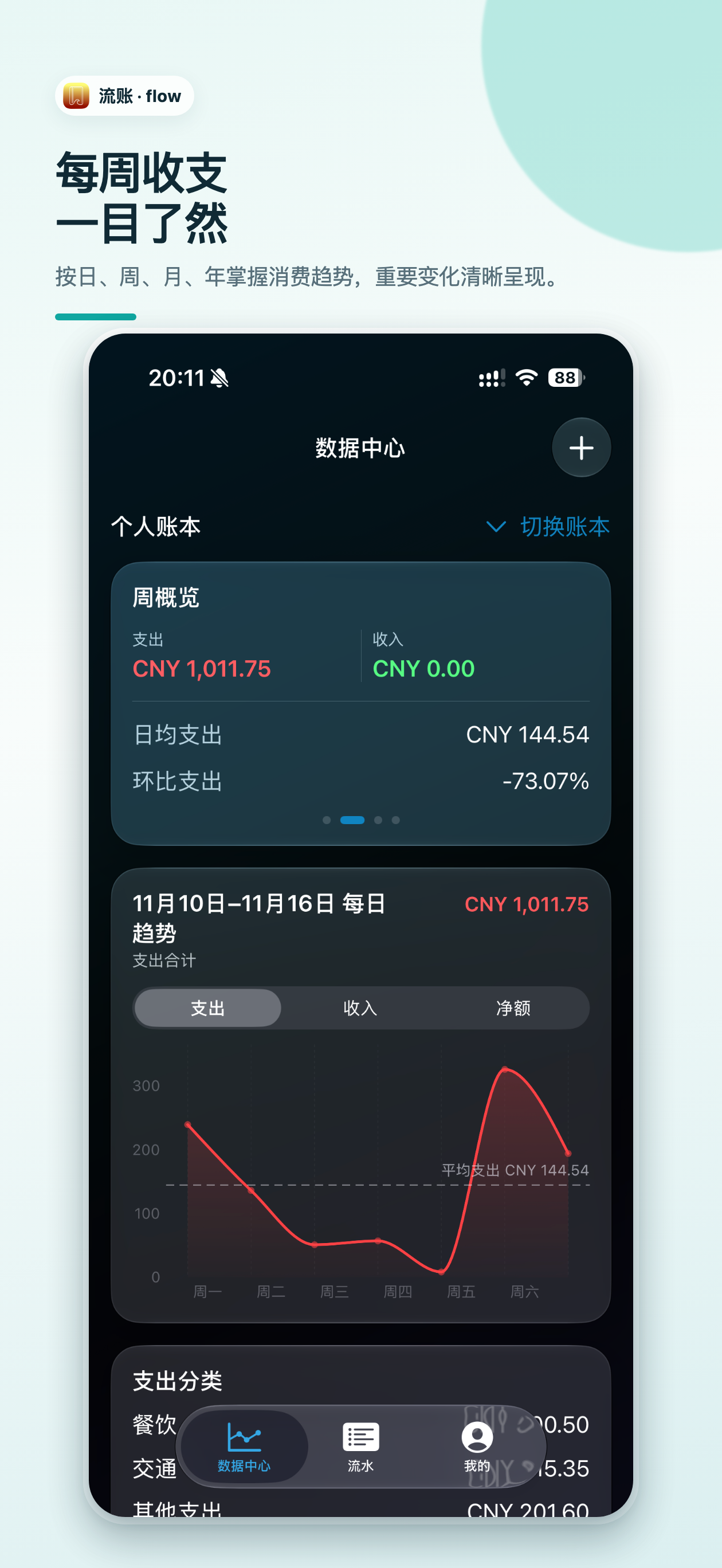
  • 概览与趋势:按日、周、月、年查看收支和分类;趋势图可左右滑动回看已发生的时间段。
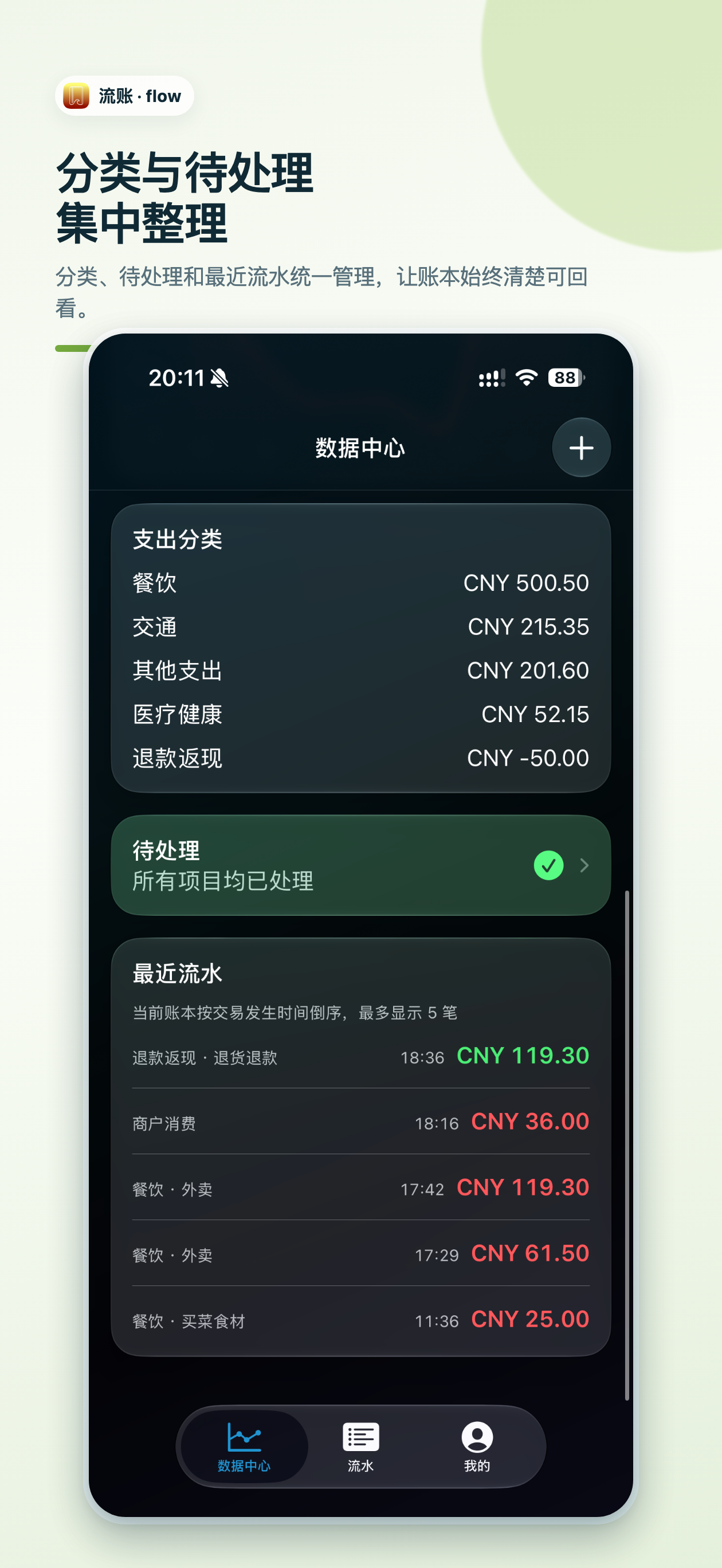
  • 待处理中心:集中查看待确认流水、短信、新分类与新账户,不受首页时间范围影响。

flow is an iPhone app for organizing everyday income and expenses. Send text through Shortcuts or import a statement file or image, then let AI help identify the transaction. You review it before it is written to a ledger.


Personal and shared ledgers, categories, parsing memories, a pending center, and historical trends keep every record clear and reviewable.
App

App information

  • Name: flow
  • Purpose: intelligent expense tracking and statement parsing
  • Platform: iPhone (iOS 18+)
  • Account and sync: Sign in with Apple, iCloud / CloudKit
  • Languages: Simplified Chinese, English
Workflow

From content to a transaction

  • Enter message text or choose a statement file / image
  • AI extracts amount, merchant, date, account, and category
  • Uncertain items stay in Pending instead of being recorded automatically
  • Confirm the result and save it to the chosen ledger
Capability

Key features

  • Message-based recording: use Shortcuts or paste text to identify transaction details.
  • Statement import: import TXT, CSV, TSV, TSK, JSON, and statement images; review imported and skipped records separately.
  • Categories and memories: manage a category tree and retain consistent corrections as parsing memories.
  • Multiple and shared ledgers: create personal or shared ledgers and invite collaborators when sharing.
  • Overview and trends: review income, expenses, categories, and historical periods from daily to yearly views.
  • Pending center: review unconfirmed transactions, messages, categories, and accounts in one place.

应用截图

flow data center overview
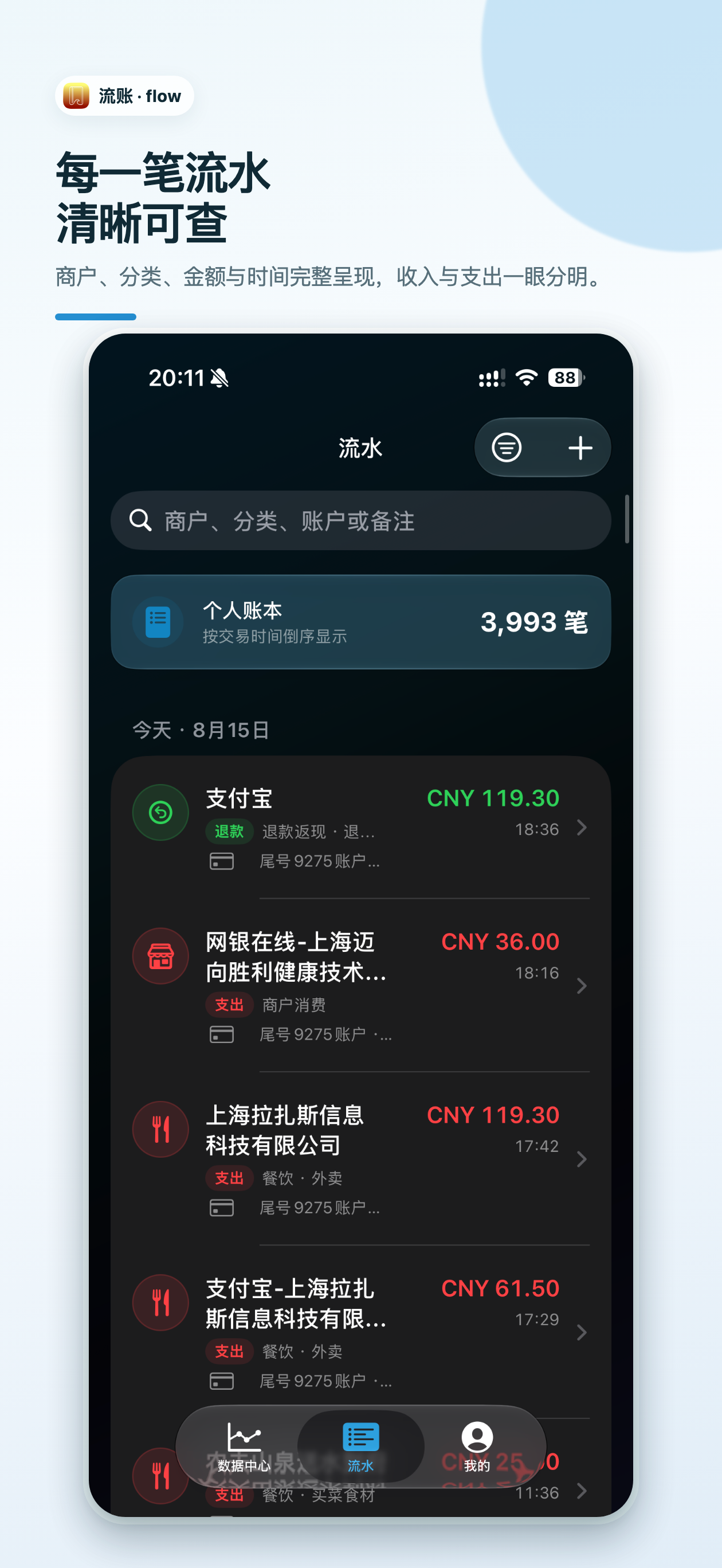
flow transaction list
flow categories and recent transactions
Resources

支持与隐私

获取使用帮助、提交反馈,或查看流账如何处理你的数据。